/Docs
IntroductionHow FeatureGate worksQuickstart
OrganisationsProjectsEnvironments
OverviewTypes and valuesConfigure across environmentsTargeting rulesPercentage rolloutsDesign evaluation contextLifecycle and intentTags and discovery
Choose an evaluation approachEvaluation credentialsNode.js SDKEvaluate over HTTPEvaluate in browsersSnapshots and configuration freshnessErrors and fallbacksTest flags locallyProduction integration checklist
Run a controlled rolloutKill switchesProject insightsActivity and audit historyReview and clean up flagsEnvironment readinessTroubleshooting and limits
Members, roles, and permissionsInvite and manage a teamOrganisation settings and operational defaultsProject lifecycle and transferPlans, billing, and team organisationsOrganisation closure and reactivationAccount settings and security
Management API overviewPreviewProvision flags through automationPreviewRotate runtime keys through automationPreviewAudit project changes through automationPreview
DocsAPI Reference

Flags/Flags overview

Get access
/Docs
Get access
  1. Docs
  2. Flags
  3. Flags overview

Flags overview

Understand flag identity, typed values, environment configuration, targeting, and evaluation.

MarkdownFeedback
PreviousEnvironmentsNextFlag types and values

On this page

Definition and configurationEvaluation resultsExampleCreate and operate a flagCommon problems

A feature flag is a typed decision key inside a project. Its definition describes identity and lifecycle. Its environment configurations determine what each runtime can serve.

Use a flag when application behaviour must change independently from deployment. Do not use a flag to replace authorization, durable business data, or configuration that can never tolerate a default.

  1. Flag key and type
  2. Environment configuration
  3. Emergency override
  4. First matching rule
  5. Environment fallback
  6. Caller default

Definition and configuration

The flag definition contains a stable key, display name, description, type, lifecycle kind, intent, cleanup information, and tags. The key and type become fixed after creation.
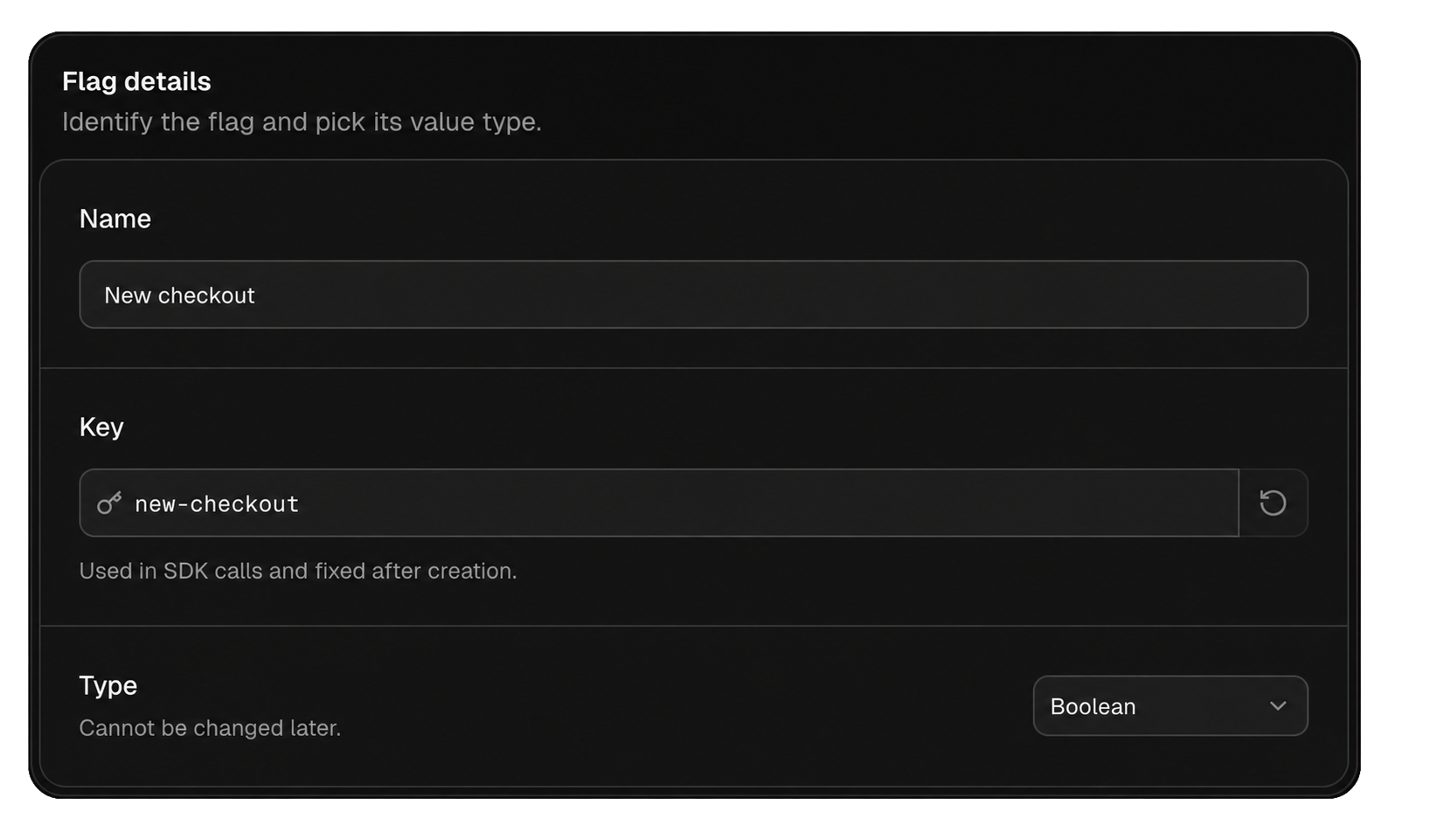
Flag creation fields for name, immutable key, and value type

An environment configuration contains a typed fallback, ordered rules, client-exposure state, and kill-switch state. A flag can be configured in production but absent from development, or the reverse.

Creating a definition does not make it evaluable everywhere. Initialize the configuration in each active environment that should serve the flag.

Evaluation results

For a valid configured flag, evaluation follows this order:

  1. Return the emergency override when a kill switch is active.
  2. Evaluate targeting groups from first to last.
  3. Return the outcome of the first matching group.
  4. Return the environment fallback if no group matches.

The caller default is used when FeatureGate cannot produce a valid typed value. Common causes are a missing, archived, unconfigured, or client-hidden flag, or use of the wrong typed getter.

Value getters return the final value. Details getters also return the evaluation reason and whether the caller default was used. Use details while validating configuration and diagnosing incidents.

Example

Consider a boolean flag named new-checkout in production:

  • Fallback: false
  • First rule: staff accounts receive true
  • Second rule: 10% of Pro accounts receive true
  • Caller default: false

A staff account matches the first rule. A non-staff Pro account may match the percentage rule. Every other configured caller receives the fallback. A caller using a string getter receives its string default.

Create and operate a flag

  1. Choose a durable key and the smallest suitable type.
  2. Select lifecycle intent and cleanup expectations.
  3. Configure safe fallbacks in the required environments.
  4. Integrate with explicit caller defaults.
  5. Add narrow rules before broad rollout rules.
  6. Validate in non-production, then expand production deliberately.
  7. Remove guarded code and archive temporary flags after completion.

Members, admins, and owners can create and configure flags. Viewers have non-secret read-only access. Flag changes write activity and may send notifications according to account preferences.

Flags are not authorization

Context is supplied by the application and may be manipulated in a browser. Continue enforcing permissions and entitlements in trusted application code.

Common problems

  • The flag returns the caller default: verify key, type, active state, environment configuration, and browser exposure.
  • A rule never runs: move it before broader matching groups and verify every context path.
  • Production changed but a process did not: wait for a successful snapshot refresh or call refresh().
  • The type is wrong: create a new key, migrate callers, then retire the old flag.

Continue with Flag types, environment configuration, or targeting rules.