Flag lifecycle and intent
Classify flags, set cleanup reviews, and keep release controls from becoming permanent debt.
Every flag needs an owner, purpose, expected final state, and review point. Lifecycle metadata turns those expectations into visible cleanup signals without changing runtime evaluation automatically.
Use temporary lifecycle for work that should leave the codebase. Use permanent lifecycle only when the flag remains an intentional long-lived operational or product control.
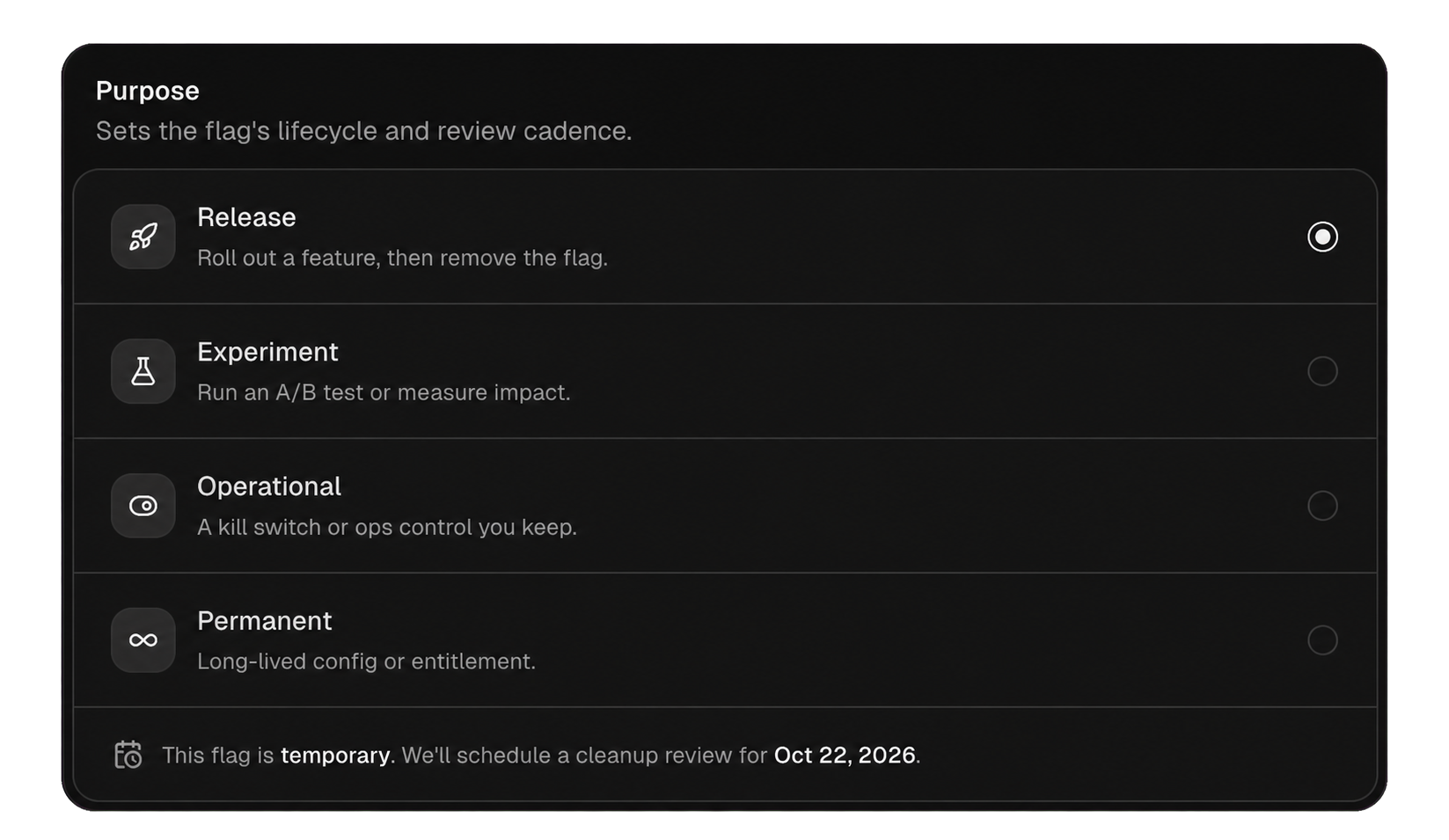
Temporary flags support releases, experiments, migrations, and maintenance. Give them a cleanup date and a note describing the final value and guarded code to remove.
Permanent flags support long-lived operational controls, entitlements, permissions, or configuration. They still need ownership and review, but age alone does not mark them cleanup due.
Do not mark a release flag permanent merely to suppress cleanup signals. Change lifecycle only when the product decision itself has become long-lived.
| Intent | Use it for | Typical completion |
|---|---|---|
| Release | Gradually shipping one implementation | New branch becomes normal code |
| Experiment | Comparing defined variants | Winning branch ships or test ends |
| Ops | Emergency or traffic control | Remains owned and rehearsed |
| Permission | Experience by plan or role | Remains separate from authorization |
| Configuration | Runtime tuning | Remains bounded and validated |
| Maintenance | Migration or temporary platform work | Migration and flag are removed |
Intent improves review and discovery. It does not affect evaluation precedence or grant permissions.
A good lifecycle note answers:
Do not include secrets, raw customer identifiers, targeting values, or sensitive ticket content. Link to internal work only when readers have appropriate access.
Temporary flags can be surfaced when they are:
These are prompts for review. FeatureGate never changes configuration or deletes application code because a flag looks stale.
Archive is not a substitute for code cleanup. It only changes the platform resource lifecycle. Callers may still contain dead branches and fallback assumptions.
Permanent operational flags need an owner, safe values, incident instructions, and periodic validation. Exercise kill switches before an incident and keep notifications routed to eligible builders.
Permanent permission flags may shape experience but must not become the only enforcement of access. The application remains responsible for authorization and entitlements.
Related pages: Review and clean up flags, Kill switches, and Tags and flag discovery.